Social enquiries. Real opportunities.

Turn social enquiries into your next sale.

Capture enquiries from Instagram, Facebook and WhatsApp, assign them to your team, and keep every follow-up moving in one simple CRM.

Private business workspaceSimple, transparent plans
Meta app permissions approvedWatch Demo ↗
LeadCat cat mascot connecting Instagram, Facebook and WhatsApp conversations
Meet LeadCat. A clearer path from conversation to conversion.
A little structure. A lot more clarity.

Less chasing messages.
More moving things forward.

Give every enquiry an owner, a conversation history and a next step.

  1. 01 / Capture

    Bring enquiries together.

    Turn supported social messages and comments into leads, with the original channel context.

  2. 02 / Assign

    Make ownership clear.

    Give each lead a team member who knows what needs to happen next.

  3. 03 / Follow up

    Keep the promise to call back.

    See today’s follow-ups, keep notes and pick up where the conversation left off.

  4. 04 / Convert

    Know what’s progressing.

    Track the sales pipeline and outcomes so you can see where your team needs support.

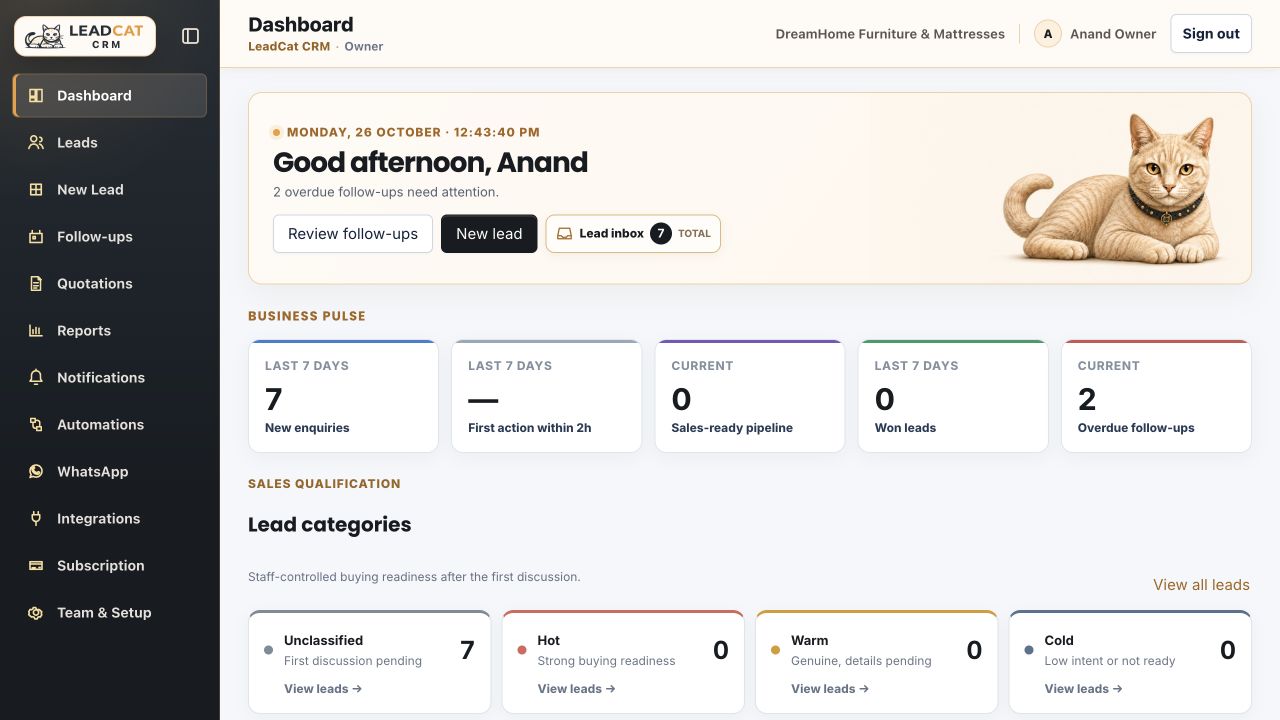
LeadCat CRM dashboard showing follow-up priorities, a business workspace and lead categories
Actual LeadCat dashboard with demo data. Counts shown are examples, not customer results.View full screenshot ↗
Explore LeadCat

One workspace. Every step of your customer journey.

From the first enquiry to the next sale, give your team the tools to move forward.

Capture & follow up

  • Dashboard

    See new enquiries, overdue follow-ups and today’s priorities.

  • Leads

    Keep customer details, ownership and next steps together.

  • New Lead

    Add enquiries from calls, walk-ins, referrals and other sources.

  • Follow-ups

    Schedule, reschedule and complete customer calls or messages.

Move enquiries toward a sale

  • Workflows

    Organise repeatable sales steps and customer projects.

  • Quotations

    Prepare quotations and keep track of customer responses.

  • Commerce

    Bring your catalogue, storefront and customer orders together.

  • Revenue

    Review sales, collections and outstanding amounts in enabled modules.

Keep work moving

  • Reports

    Review team activity, lead sources and sales outcomes.

  • Notifications

    Stay informed about lead activity and follow-up reminders.

  • Automations

    Set up supported reply rules and reduce repetitive work.

  • WhatsApp

    Manage WhatsApp enquiries and connected customer conversations.

Make LeadCat your own

  • Knowledge Base

    Organise approved business information for your team and AI assistant.

  • Integrations

    Connect eligible social channels and supported business accounts.

  • Subscription

    Review your CRM plan, included users and activation terms.

  • Team & Setup

    Manage staff access, roles and workspace settings.

Availability depends on your CRM plan, enabled modules and team role.

Compare CRM plans
See LeadCat in action

Watch LeadCat in your language

English, Tamil, Malayalam, Kannada, Telugu and Hindi demos are available.

LeadCat Storefront

See how a comment becomes an order.

Less back-and-forth for your team. A clearer path to buying for your customer.

Swipe to follow the journey →

  1. A business owner taking a break while the configured storefront journey stays available
    STEP 1 OF 6

    From comment to order

    Give an interested customer a clear path to your storefront.

  2. A customer comments SHOP on a handbag post while the LeadCat cat watches
    STEP 2 OF 6

    A customer comments

    The customer comments your configured keyword, such as SHOP.
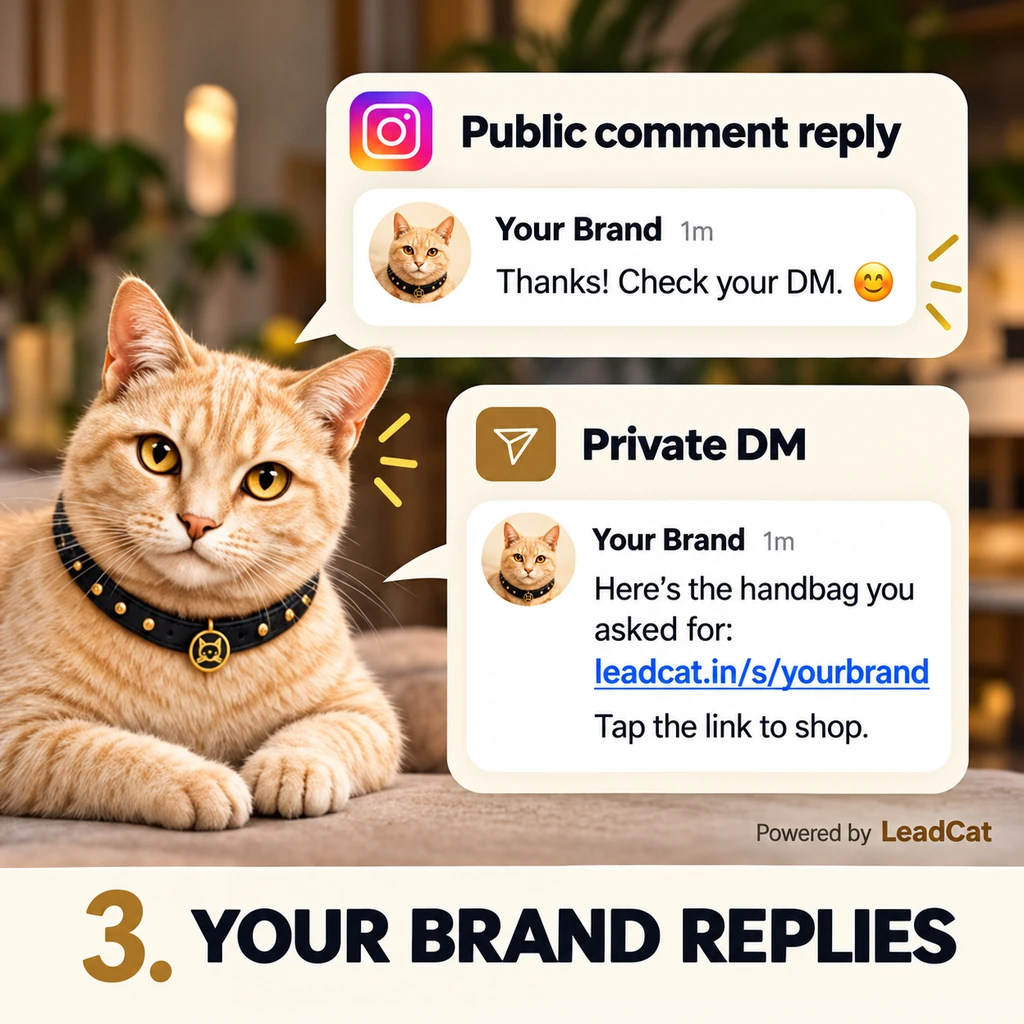
  3. Your Brand replies publicly and sends a plain-text storefront link in a private message, powered by LeadCat
    STEP 3 OF 6

    Your brand replies

    LeadCat sends your configured reply and storefront link for eligible matches.

  4. The customer browses a classic handbag on a branded LeadCat storefront
    STEP 4 OF 6

    They explore your storefront

    The customer opens your branded storefront and chooses what to buy.

  5. An illustrative payment confirmation for a storefront with online payments enabled
    STEP 5 OF 6

    They complete payment

    With online buying and payments enabled, they can check out on your storefront.
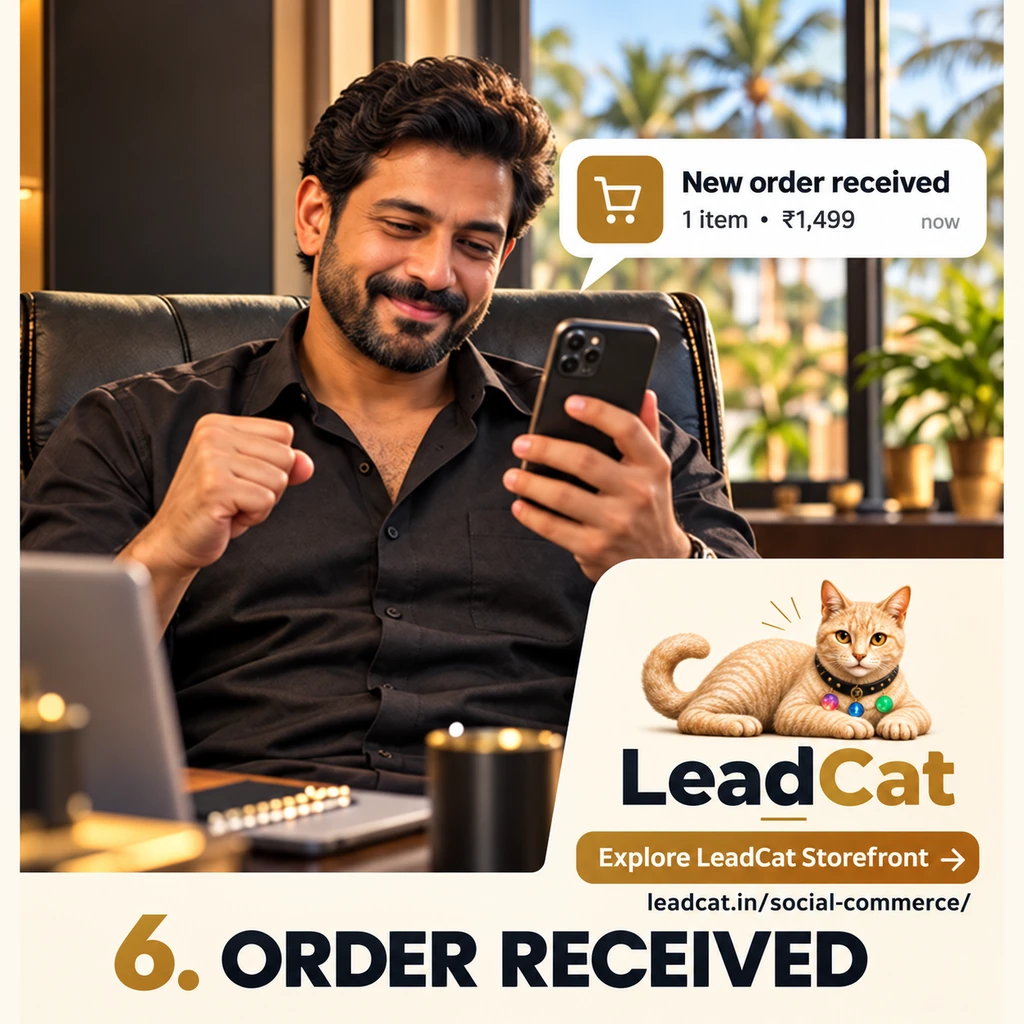
  6. The business owner sees a new order and a LeadCat Storefront invitation
    STEP 6 OF 6

    You receive the order

    Review the order in your workspace and take care of fulfilment.

See the WhatsApp AI assistant journey

Your OpenAI-connected WhatsApp assistant helps customers find products and continue to your storefront.
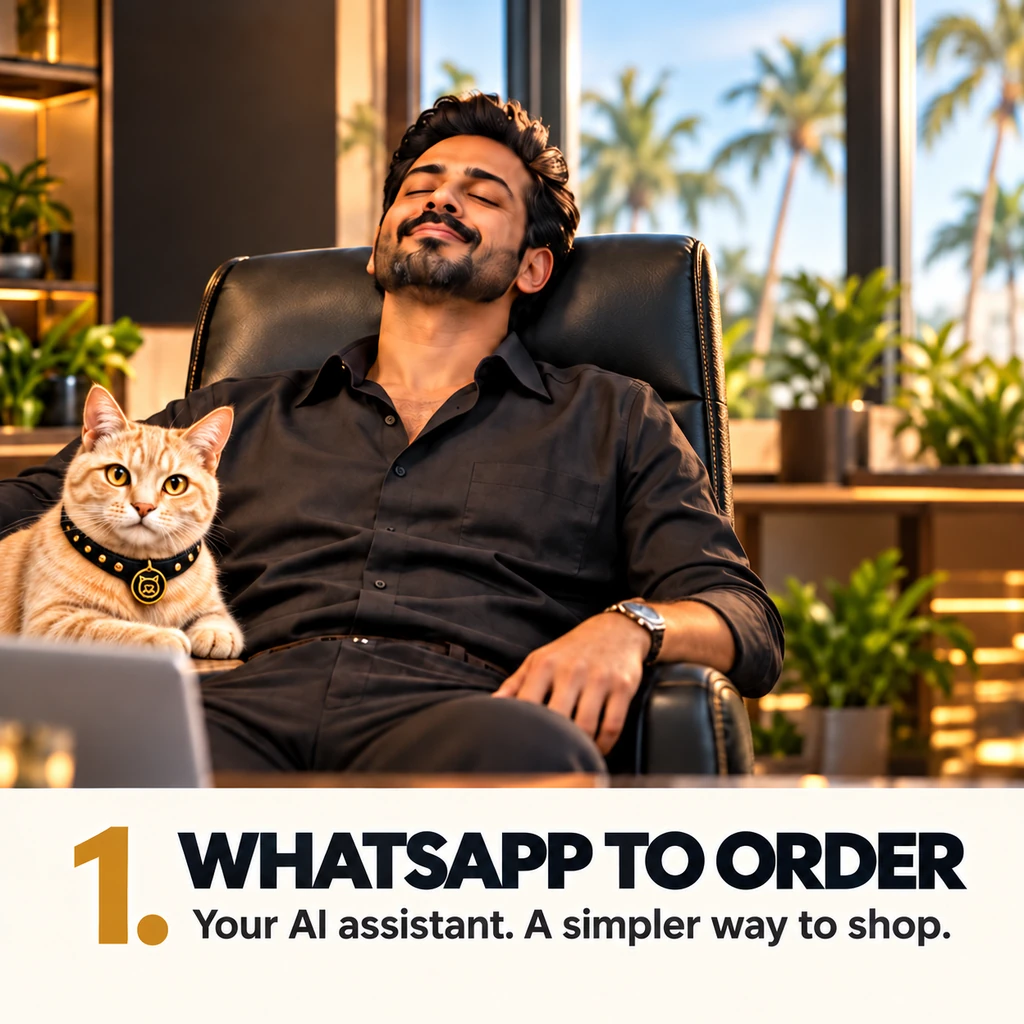
  1. The business owner and LeadCat cat introduce the WhatsApp-to-order journey
    STEP 1 OF 6

    From WhatsApp to order

    Let your AI assistant help customers take the next step toward buying.
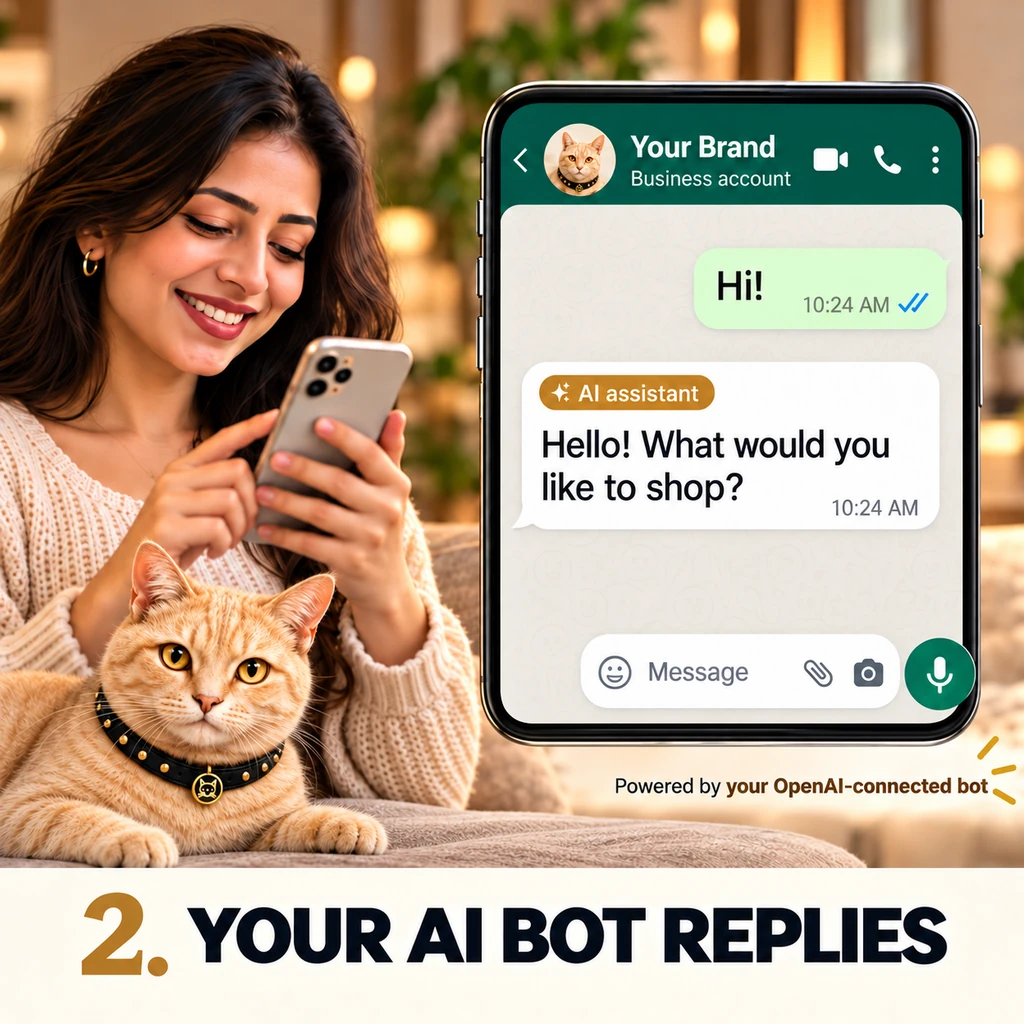
  2. Your Brand’s AI WhatsApp assistant greets a customer who sends Hi
    STEP 2 OF 6

    Your AI bot replies

    Your OpenAI-connected WhatsApp bot welcomes the customer.
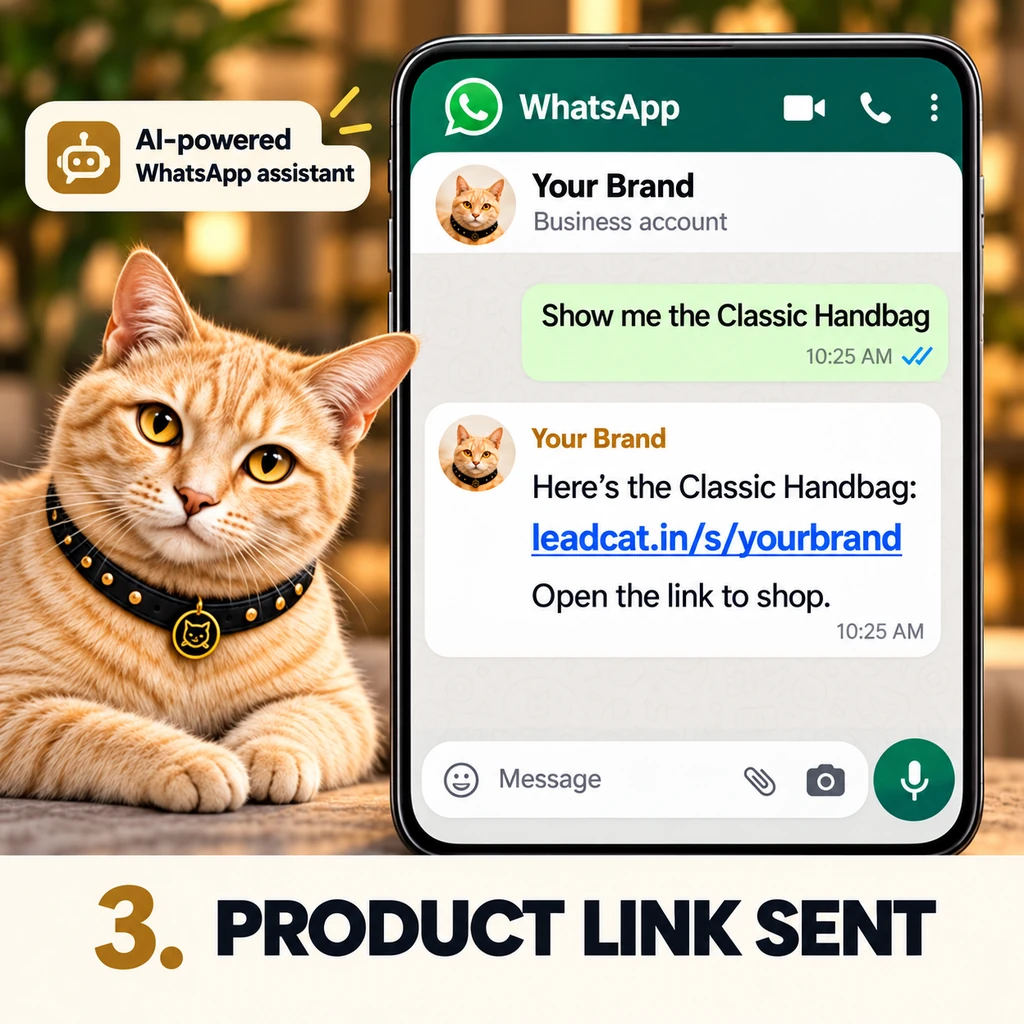
  3. Your Brand’s WhatsApp assistant shares a plain-text storefront link for the Classic Handbag
    STEP 3 OF 6

    The product link is shared

    The conversation continues with a link to your storefront product or catalogue.

The next steps—shopping, payment and order review—use the same storefront flow shown above. Requires your configured WhatsApp bot, connected business account and enabled storefront checkout.

Ask about the WhatsApp bot
Lead. Connect. Convert.

From enquiry to sale. Capture the enquiry, manage the follow-up and, with LeadCat Commerce enabled, move a ready customer toward your storefront. Explore social commerce CRM.

Solutions

Bring social enquiries into a sales process your team can follow

See how LeadCat gives customer interest from each channel clear ownership, follow-up and a visible next step.

LeadCat CRM Pricing

Simple plans for managing social enquiries

Review current plans, included users, activation and renewal terms in the interactive pricing section. Ask about pricing on WhatsApp.

Confidence starts with clarity

Your business.
Your relationships. Your control.

Built by Staminal Technologies Private Limited, with clear account permissions and a team you can contact.

A workspace for your business

Your business works in its own workspace. Owner and staff roles help control access to your team’s work.

Read our privacy policy →

You choose the connections

Connect eligible business accounts. Automatic replies are opt-in and use the messages you configure.

Understand data deletion →

A conversation before a commitment

Ask us about your channels, setup and plan. See the workflow with our team before deciding what fits.

Contact LeadCat on WhatsApp →
Before you get started

A few things you might be wondering.

What happens after I sign up?

Create your account and business workspace, review your plan and activation terms, then connect eligible business accounts. Get setup help on WhatsApp.

Will every message become a lead?

Capture depends on the connected channel, permissions and supported event types. We can walk through your account’s setup in a demo so you know what to expect.

Does LeadCat automatically reply to customers?

Automatic replies are optional and must be configured. Instagram and Facebook support eligible comment and private replies. WhatsApp catalogue auto replies are currently a limited, opt-in pilot.

Can my team share the follow-up work?

Yes. Assign leads to staff, keep notes and track follow-ups in the business workspace. Included users and additional-user prices are shown in the CRM plan above.

Practical resources

Get more from every conversation.

Simplicity is our audacity.

Your next enquiry
deserves a next step.

Bring your conversations, your team and your follow-ups together with LeadCat.